MacGDE 2.4: Genetic Data Environment for MacOS X
This product is not made by nor endorsed by Apple
If you don't see the button frame above click here.

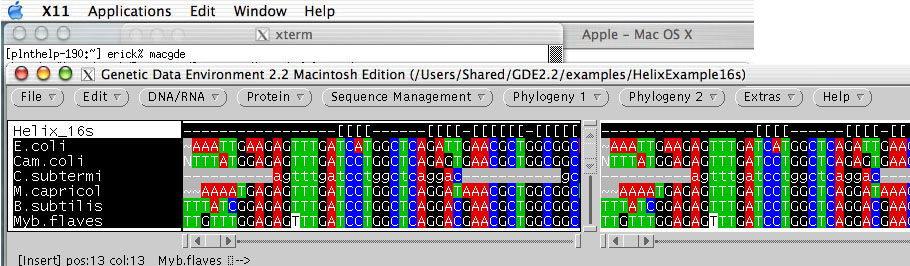
Here GDE is NOT running on an external server and sending the display back to the Mac.
It is indeed running on the Mac under X11.

MacGDE and all of its components are now UNIVERSAL (PPC/Intel).
Thanks to Scott Buchanan (www.4dneuroimaging.com) for supplying the universal XView libraries.
Thanks to Dr. Logan Donaldson for making the package installer for the libraries
(http://dryden.biol.yorku.ca/macosx/index.html).

See listing for MacGDE 2.4 at Apple or MacUpdate Web site.


"Push" the menu buttons to see all of your options
NOTE: to make the menus "fall" in the program Command(apple)+click

Changes to MacGDE version 2.3 to 2.4 06/03/2009
Updates to MacGDE

Fixed the window size setting so MacGDE does not open larger than the viewing screen. 

Added "GDE Full or Basic menus" under the File menu so users could have GDE without all of 
the additions I have made. This removes the Phylogeny menus and lots of other programs that
I have added. You can switch between the two menu but you must open a new GDE window to see
the changes.

Modified the Import Foreign Format command so that only the data from the file is brought in 
leaving the original file alone. 
A copy of the file ending with .gde is no longer made. A WARNING is now given to remember to 
name the file with the Save As... command after importing.

Import Foreign Format now recognizes Clustal format files by using clustalw (must be present) 
included with MacGDE.

Added a View Chromat Sequence command to view chromatograms in LifeTrace. This uses a panel just 
like the Open and Import commands to locate the file and open it.

Import Chromat and View Chromat Sequence commands now handle spaces in directory (folder) names. 
But the names of the chromat files can NOT have any spaces.

DeSoete tree files now end in .tre so Treeview X will open them directly.

Changed the Mr. Bayes MCMC settings for the consensus type to be "All Compatible". 
This now matches the default settings of Mr. Bayes and often adds resolution and support to nodes.

Under PAUP the MultiCPU has been changed to 2 or 4 CPUs. Since most computers now have 2 or 4 CPUs 
I changed the run options so that the bootstraps can be run automatically. I have removed the manual 
option. Hopefully, this will make it easier for everyone to get their PAUP bootstraps done more quickly.

Added an Overwrite Database feature to the Manage DNA BLAST DataBases LOCAL and Manage Protein BLAST 
DataBases LOCAL under the Sequence Management menu. This will let you replace an entire existing database. 
Useful if you accidentally added something to a database you did not mean to. 
This has the same effect as Deleting then recreating a database, but just in one step.

Addition of New Program

Parallel Mr. Bayes (Phylogeny 1 > MrBayes3.1.2 Run Options) you can choose one processor (this runs 
regular Mr. Bayes) or 2 or 4 processors (runs pMrBayes). You will need to be running Mac OS 10.5 or better 
for this to work and have 2 or 4 processors.

PhyML 3.0 under Phylogeny 2 uses the Phylip-like interface.

ProtTest 2.1 under Phylogeny 1

SNAP: Synonymous Non-synonymous Analysis Program under the DNA/RNA menu. This program calculates 
synonymous and non-synonymous substitution rates based on a set of codon-aligned nucleotide sequences. 

Synonymous or Non-synonymous Distance Tree (SNAP) under the Phylogeny 2 menu. This uses SNAP to generate 
a ds or dn distance matrix that can be analyzed with the Neighbor program from the Phylip package to 
create trees.

Updates to Other programs

BLAST is now at version 2.2.20

CAP2 (Sequence Management>Assemble Contigs) will now maintain the name of the sequences up to 50 characters. 
!!!!!Let me know if longer names are needed!!!!

Phylip is now at version 3.68

GDE (MacGDE) is a set of programs for multiple sequence alignment and analyses. The programs use an expandable user interface which allows the addition of external analysis functions without any rewriting of code. The system supports several data types, nucleic and amino acid sequences, text, and masking sequence, and three forms of color highlighting. The system has several external analysis functions included for such things as automated alignment, searching, homology recognition, and phylogenetic analysis.
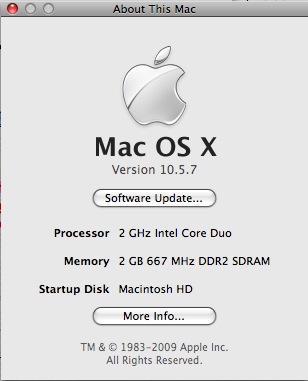
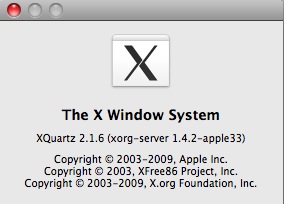

The requirements are MacOS X 10.4 (Tiger) or 10.5 (Leopard) or better RECOMENDED, X11 and a few xview libraries. I am using Apple X11.app but it should run under XDarwin with XFree86 with a windows manager such as OroborOSX.


GDE was initially ported to the Macintosh by BioLateral (contact Tim Littlejohn with questions about the port) as part of their efforts to bring Unix bioinformatic programs to the Macintosh platform as BioinforMac. In fact, a good way to get many Unix programs already ported to MacOS X in an installer package is to purchase their packages. Otherwise you can download and compile them yourself from various internet sources.

Disclaimer: I, Eric W. Linton, have no vested interest in BioLateral. I am maintaining, updating and distributing GDE for the Mac (MacGDE) since I used GDE and GDE's public license prohibits commercial enterprises from distributing GDE, even for free.


Installation | Notes | Programs | Downloads | Registration | Manuals
Hits since June 1 2003

free hit counter

Please report problems to eric.linton@cmich.edu
The GDE for Macintosh Edition (MacGDE) is maintained by: Eric W. Linton, Assistant Professor
Biology Department, Central Michigan University, Mt. Pleasant, MI, USA.
Site last updated June 03, 2009